
Riayati PO Linking for MOH Clinics
1. Create account and generate password on Riayati Post Office
- Register your organization if you don’t have an account on the Riayati Post Office.
- Login to the Riayati Unified Portal using the following URL https://po.riayati.ae/.
- Click on Facilities and select your facility.
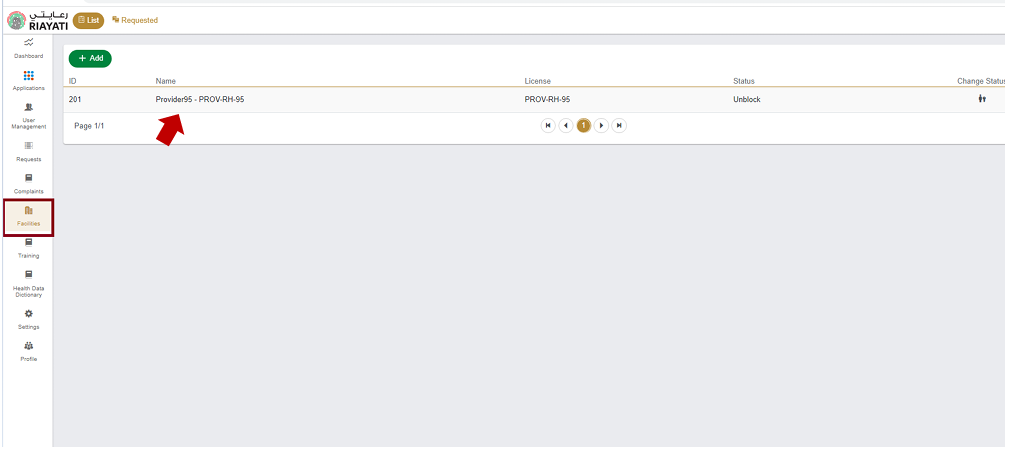
- Once you have selected your facility, a similar window (below image) will appear, select API Password tab on the right most side as shown below:
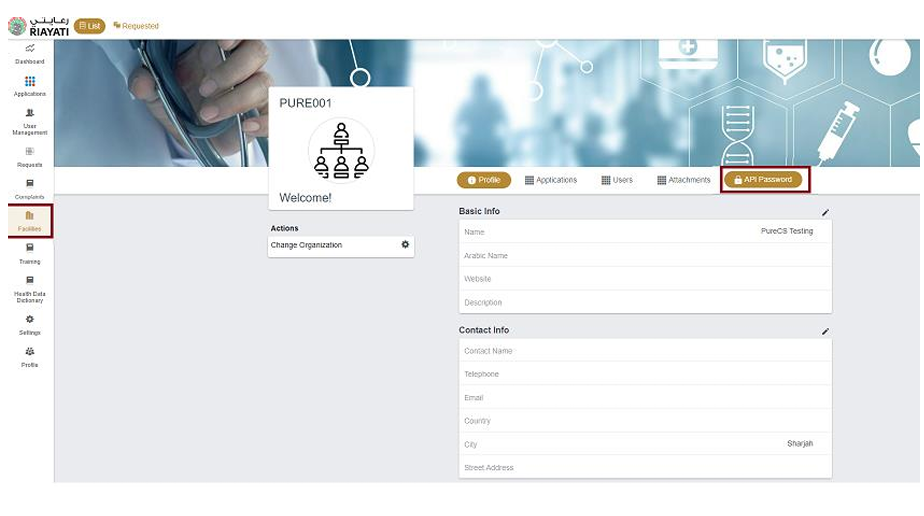
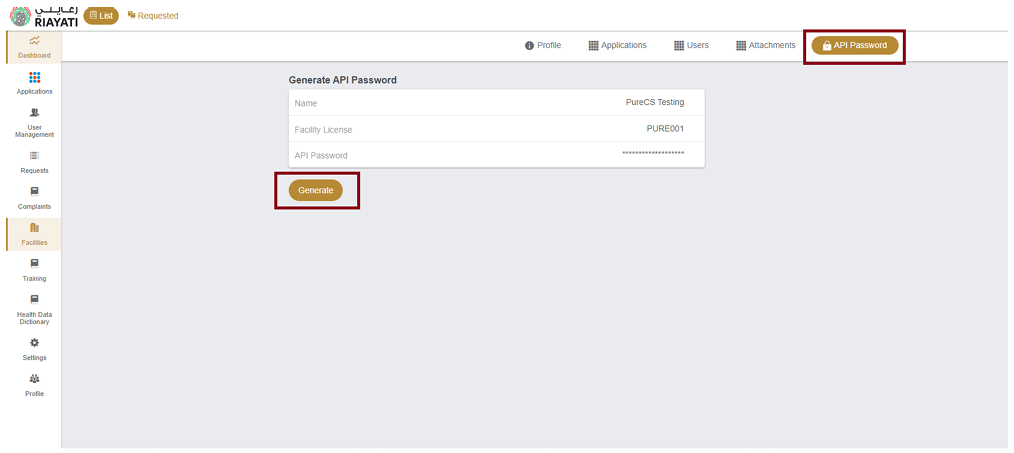
- Below screen will be visible upon accessing the button, click Generate button to enable the feature.
- Once you click Generate, a warning pop-up message* notification will notify the USER that a new API password will be generated upon this request.
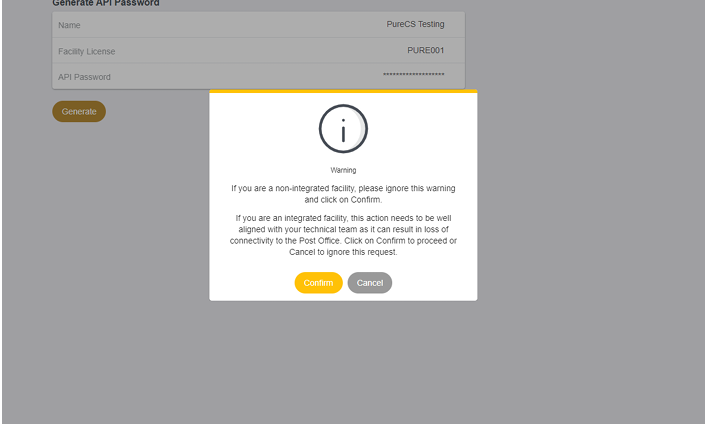
- Click the “Confirm” button.
- An automatic email will be sent to the registered email address of the Organization/Facility admin who generated the new API password with the password details.
2. Add the API Username and Password in Medic
- In Medic, go to the Insurance Configuration under the Settings module from the admin account.

- A new screen will open.

- Add the Username and Password.
- Username: MOH License number
- Password: Sent to the admin’s registered email address.

- Click the “Configure” button.
For Dubai Clinics
1. Add the Username and Password in Medic
- In Medic, go to the Insurance Configuration under the Settings module from the admin account.
- An “Insurance Configuration” screen will open.
- Add the clinic’s eCalim Username and Password.
- Click the “Configure” button.
2. Add Doctor’s eClaim User ID and Password in Medic Profile for eRX Generation
- Login from doctor’s account.
- Go to the “Profile” from the “Settings” module.
- Go to the “E-RX” tab.

- Enter the doctor’s eClaim username and password.
- Click the “Update” button.

Add Doctor’s Licence in their Medic Profile
- The doctor’s licence should be added in the doctor’s profile. For this, login to Medic from the doctor account.
- Go to the “Profile” from the “Settings” module.
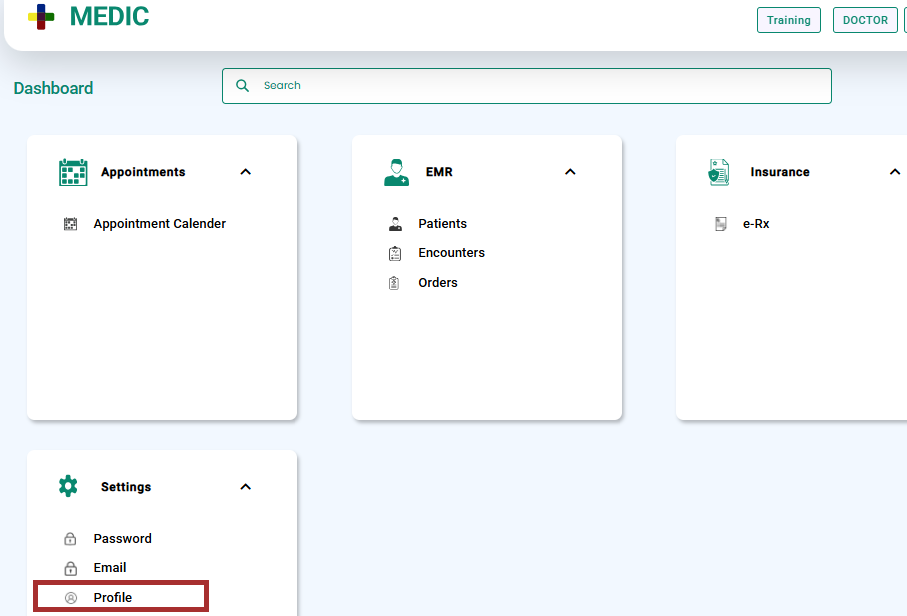
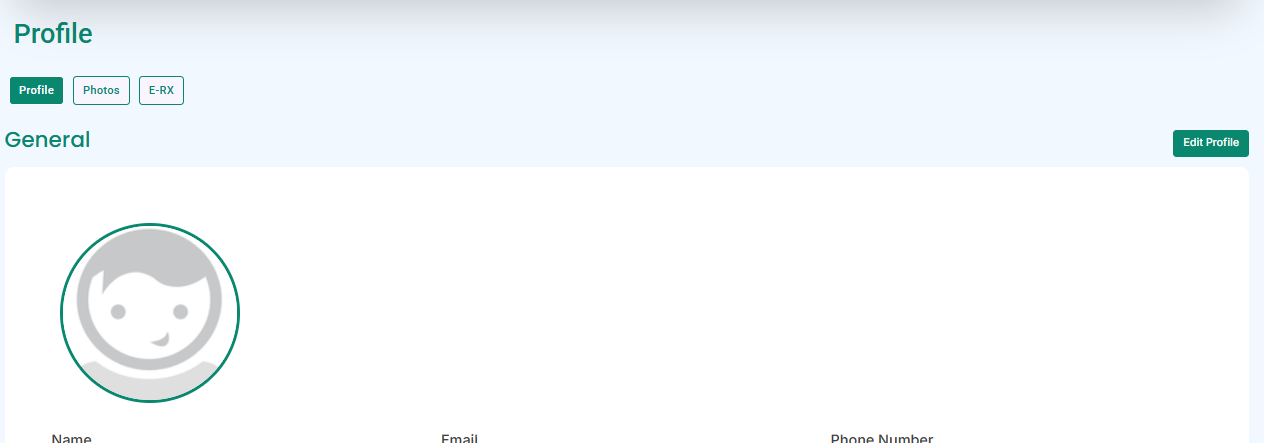
- The doctor’s profile will open.
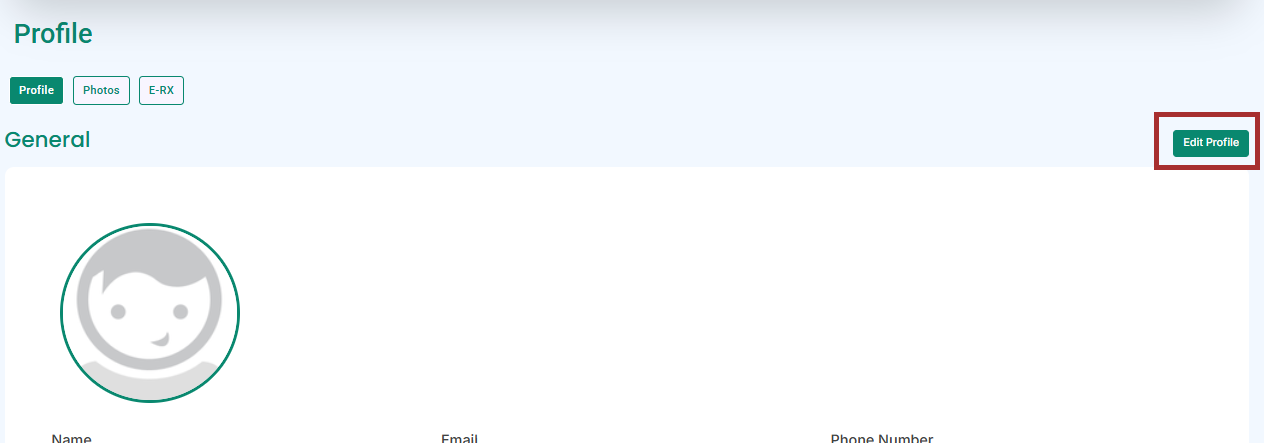
- Click the “Edit Profile” button.
- Scroll down the page and go to the licence section. Add the doctor’s licence and DHPO/Riayati PO Licence.
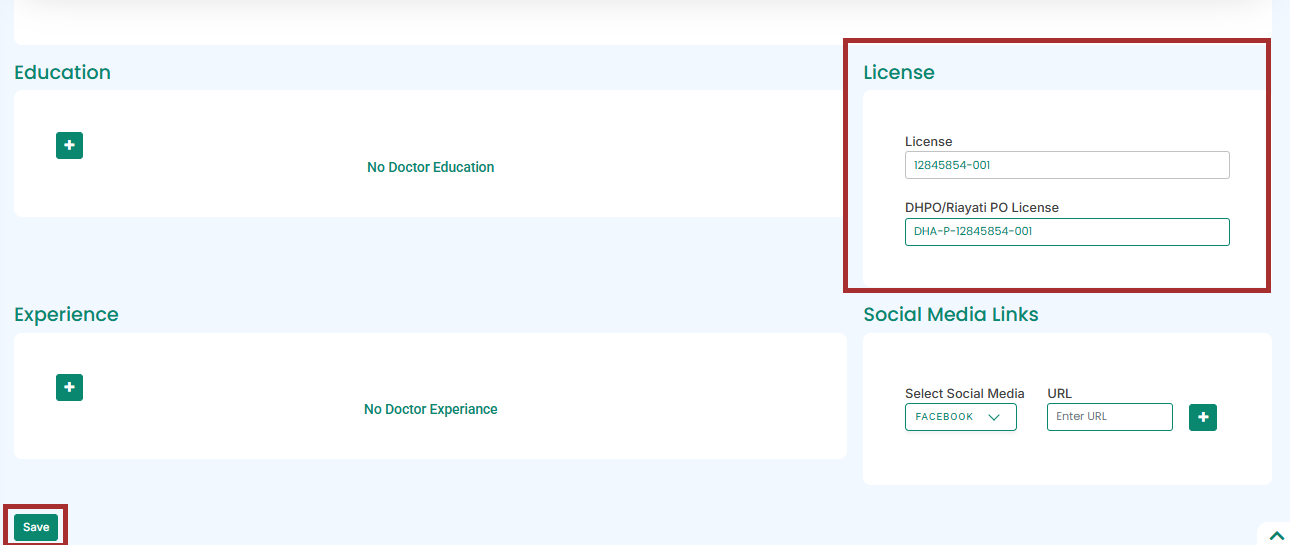
- Click the “Save” button.


