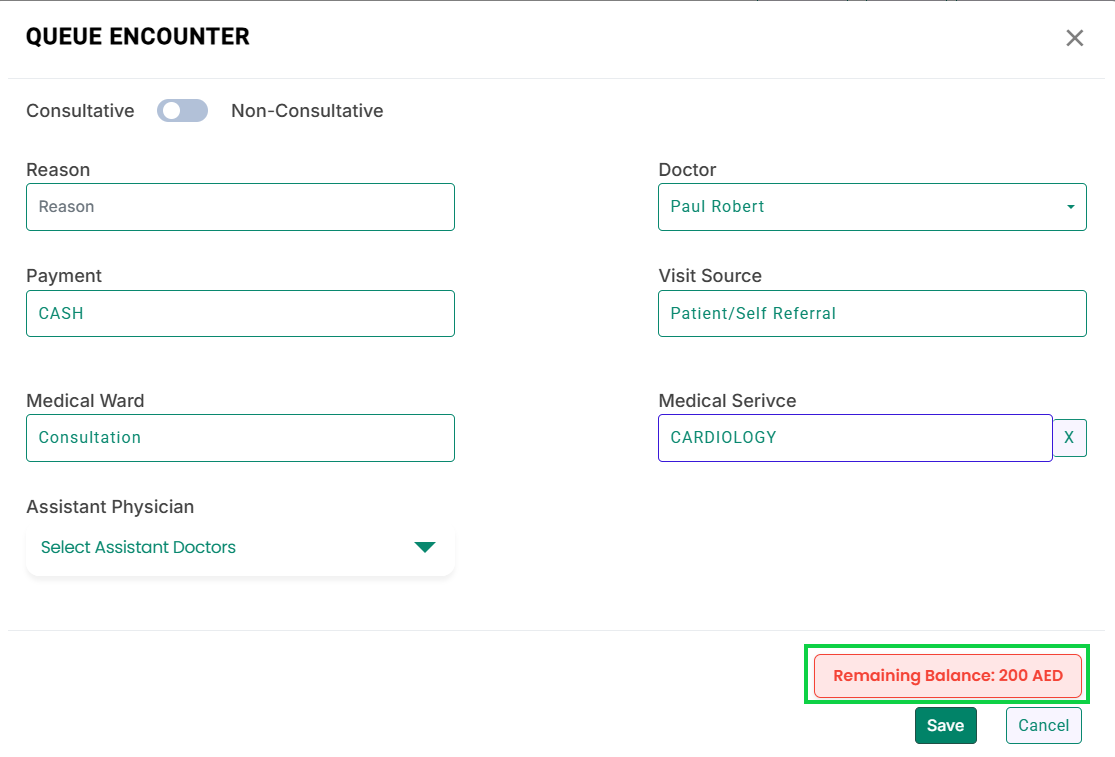
- The system notifies users about a patient’s outstanding balance when queueing the patient’s encounter. This notification appears on the Queue Encounter modal. You can access it from the following screens: From the Encounters screen:
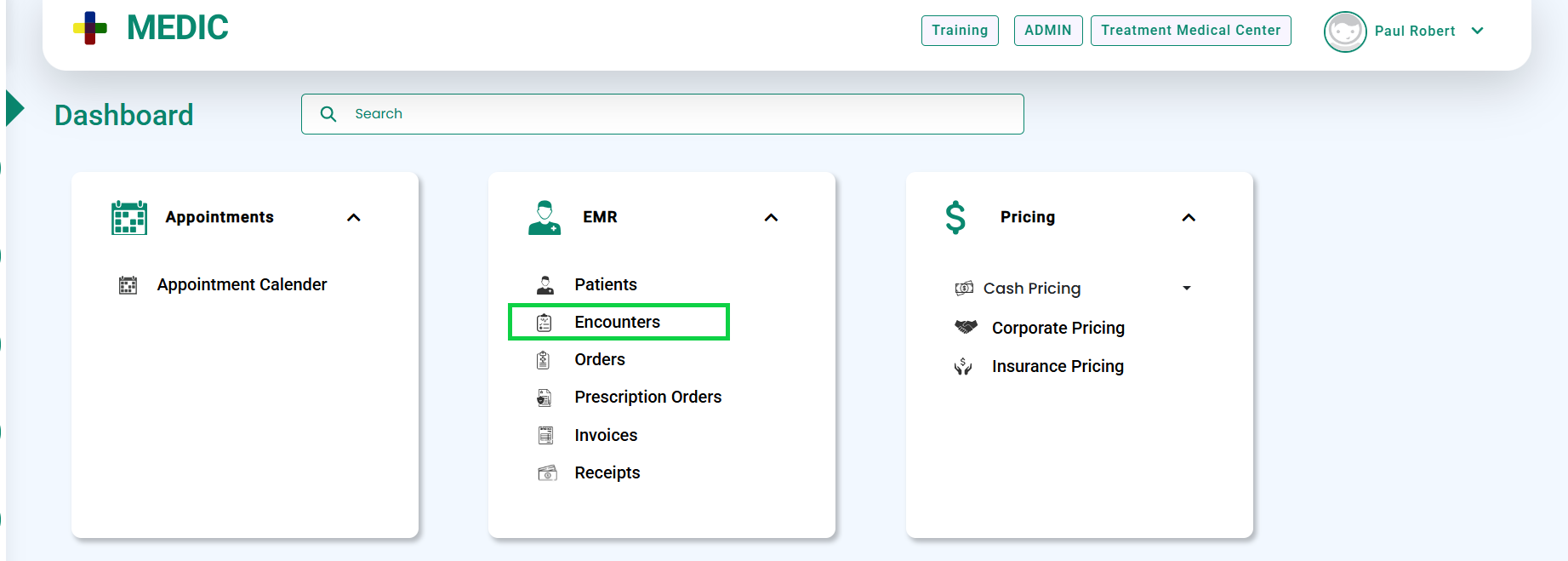
- Go to EMR > Encounters, as shown below.
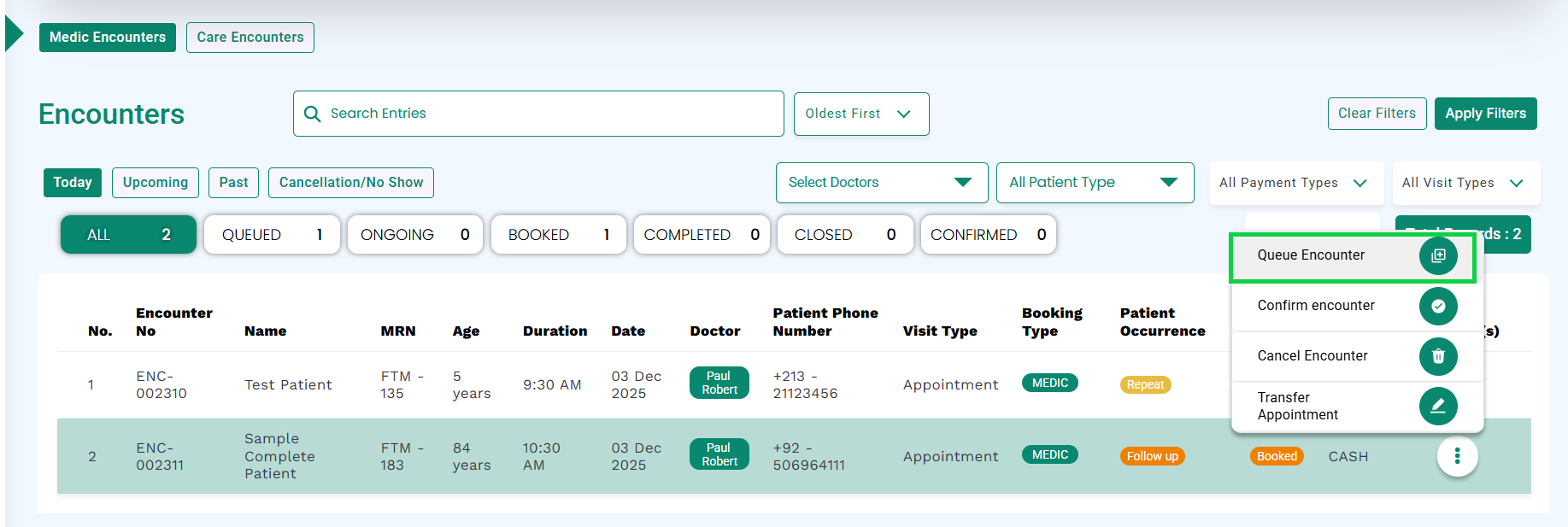
- In the Actions column, select Queue Encounter.
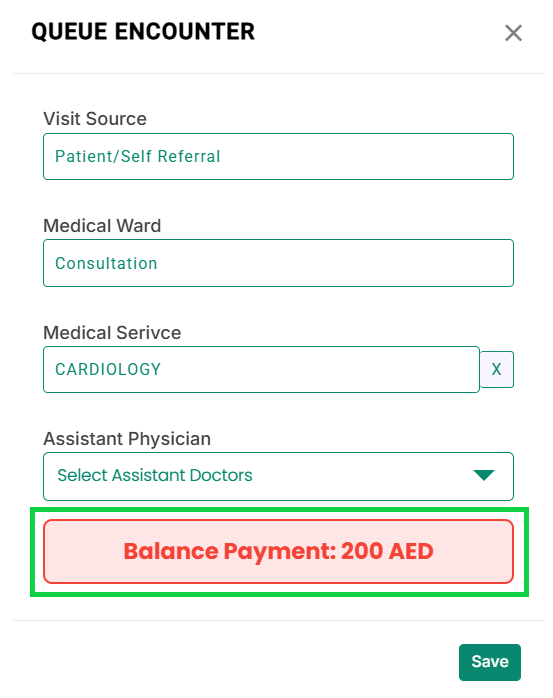
- The Queue Encounter modal will open and display the patient’s balance payment, highlighted as shown in the image.
From the Patients screen:
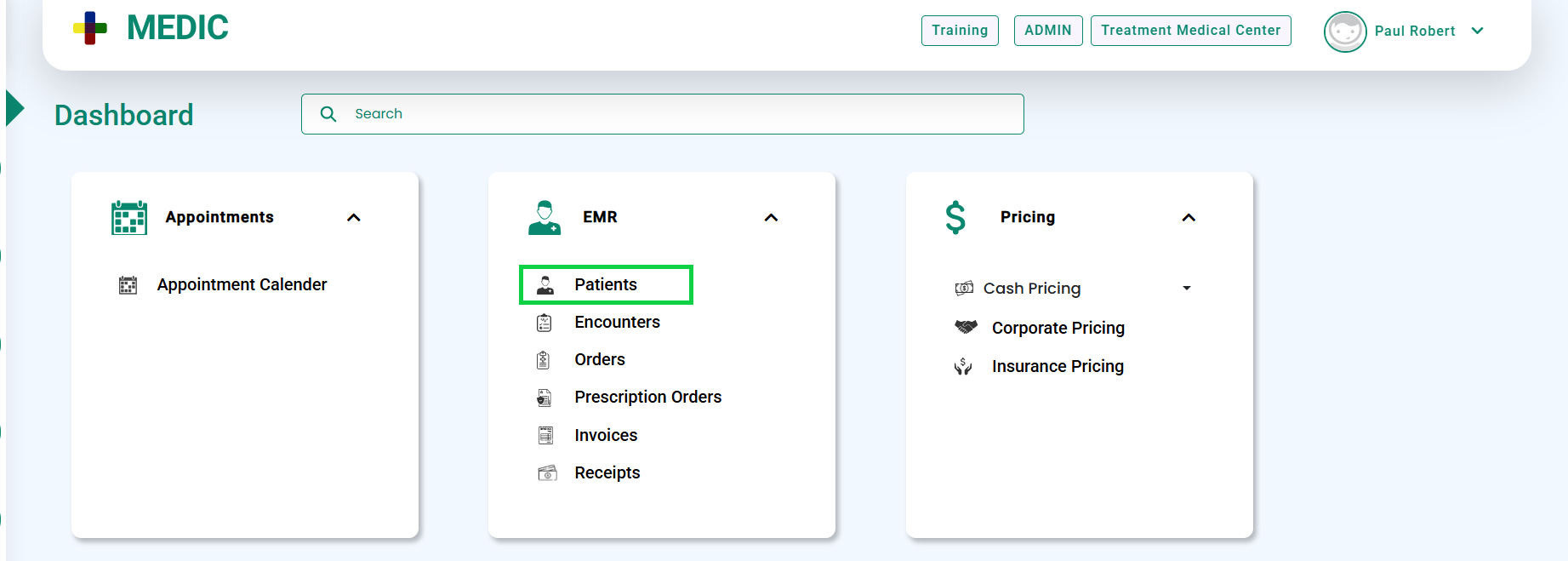
- Go to EMR > Patients, as shown below.
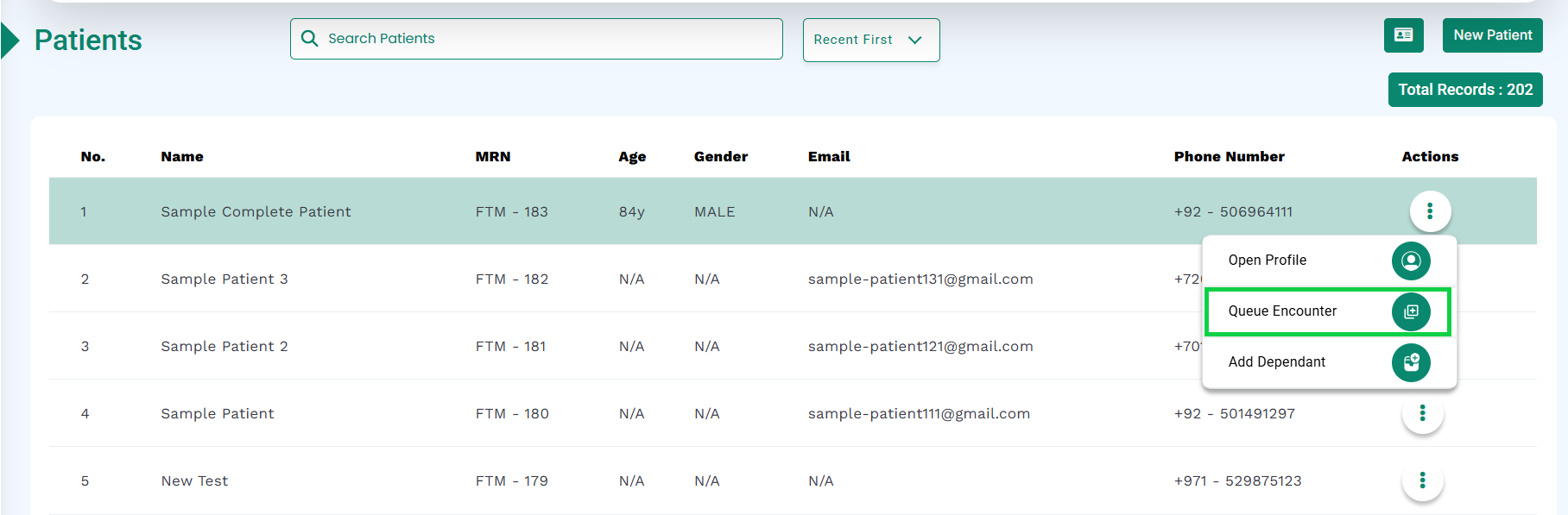
- In the Actions column, select Queue Encounter.
- The Queue Encounter modal will open and display the patient’s balance payment, highlighted as shown in the image.