Skip to content
- Go to any report you want to download.
- If the report displays any data, the medic will display the “Export” button, as shown below.
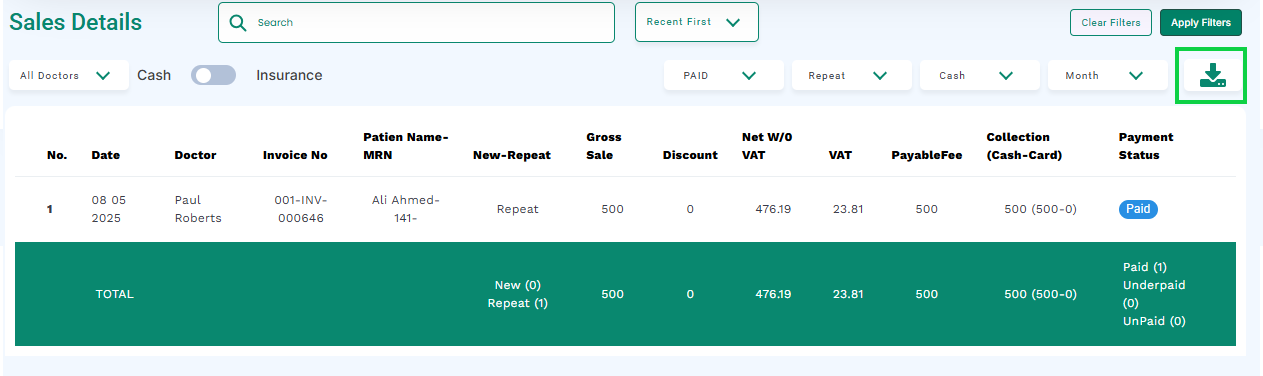
- Click the “Export” button.
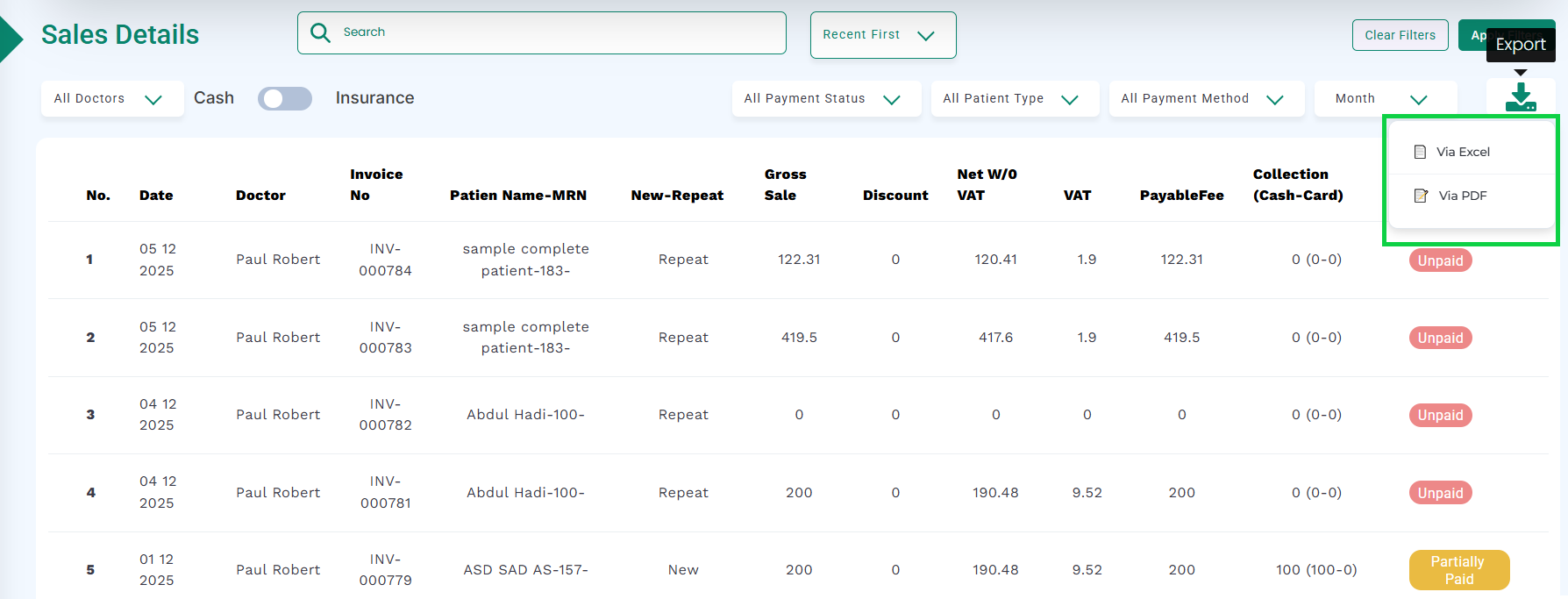
- There will be two options: “Via Excel”, and “Via PDF”, as highlighted in the below image.
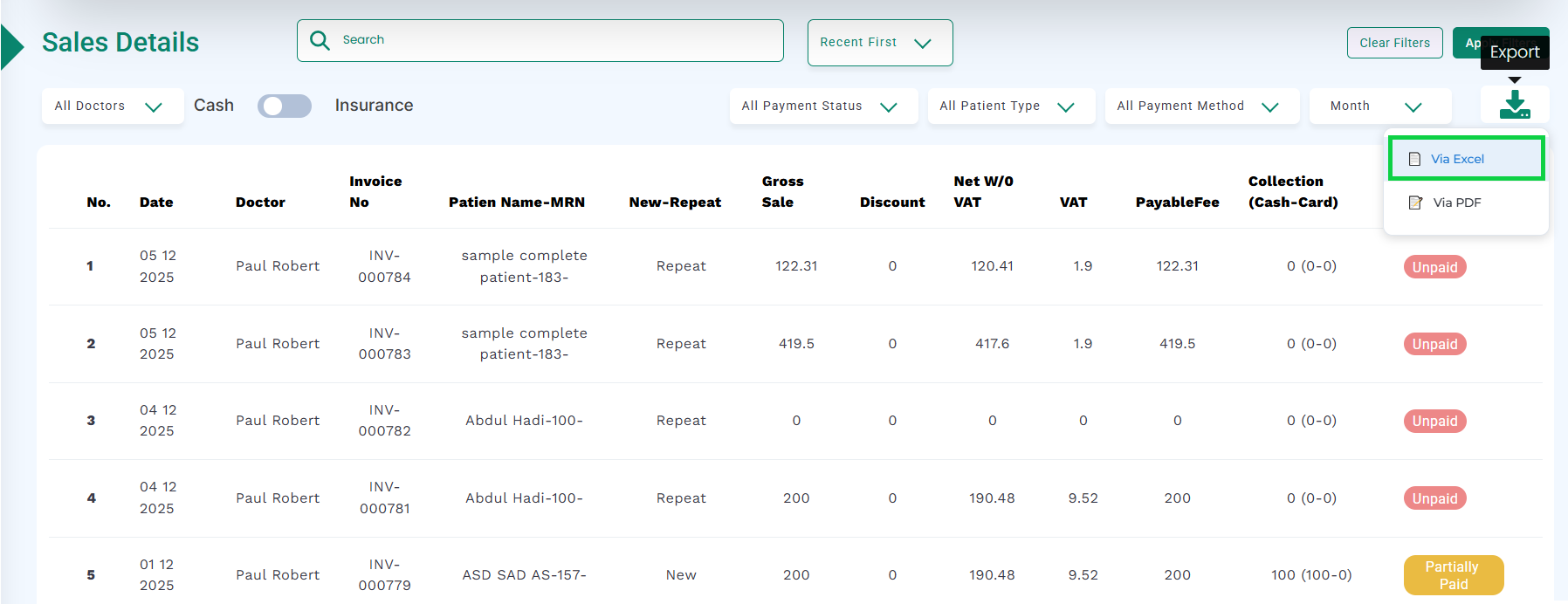
a ) To download the report in excel format, click the “Via Excel” button, as highlighted in the below image.
- A download dialog will appear. Click the Save button to save the file to your system.

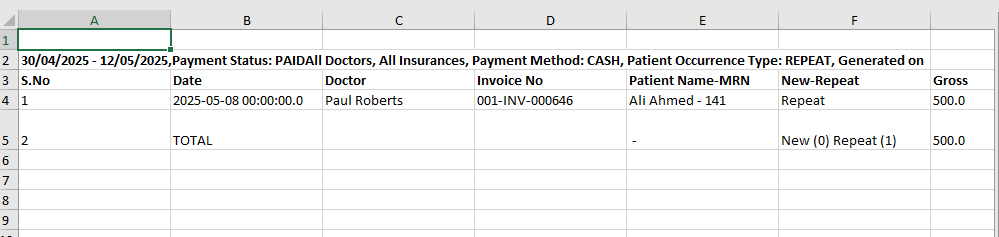
- Once downloaded, open the file to view the report in an Excel sheet, as shown in the image.
b)To download the report in PDF format, click the “Via PDF” button, as highlighted in the below image.

- A download dialog will appear. Click the Save button (highlighted below) to save the file to your system.

- Once downloaded, open the file to view the report in PDF, as shown in the image.