How to Allow Clinics to Block/Stop Sending Specific Patient’s Data to Riayati or Nabidh
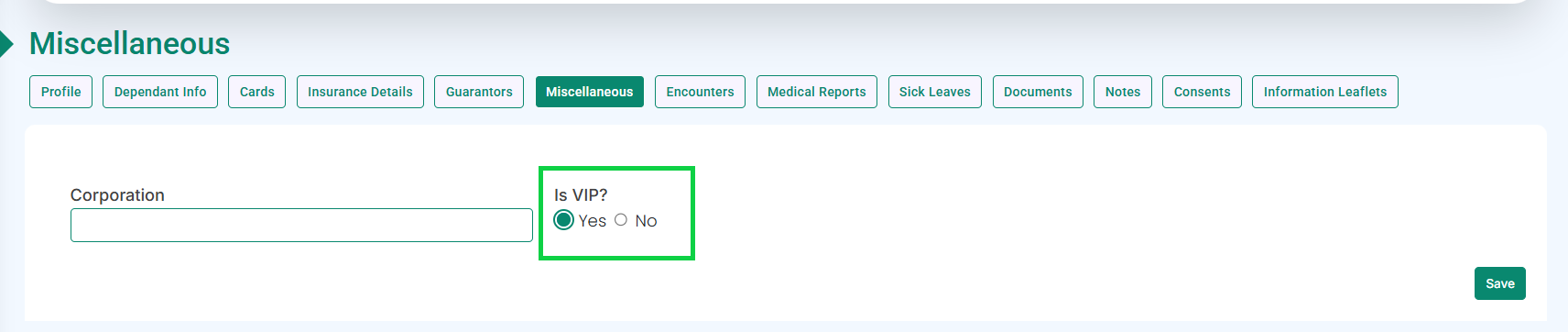
In the Miscellaneous tab, go to the VIP option and select Yes, as highlighted below.
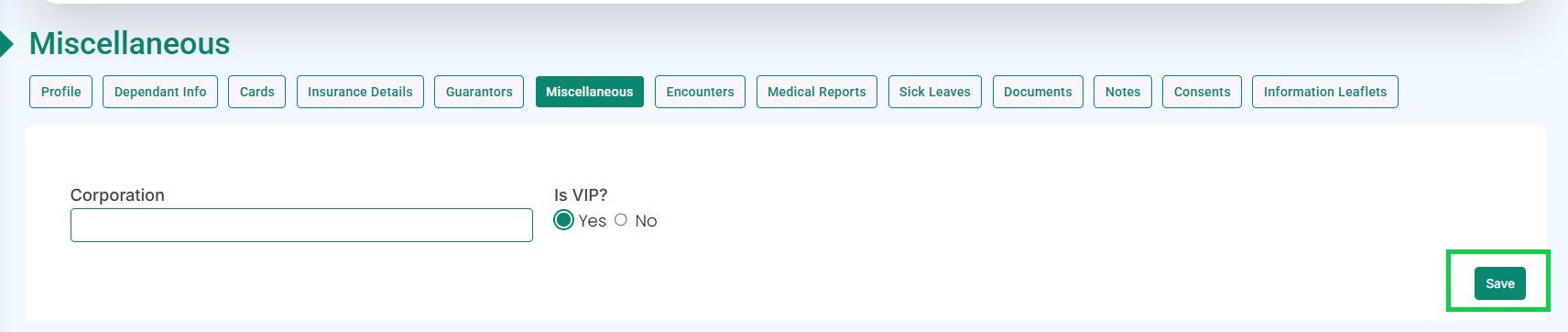
Click the Save button.
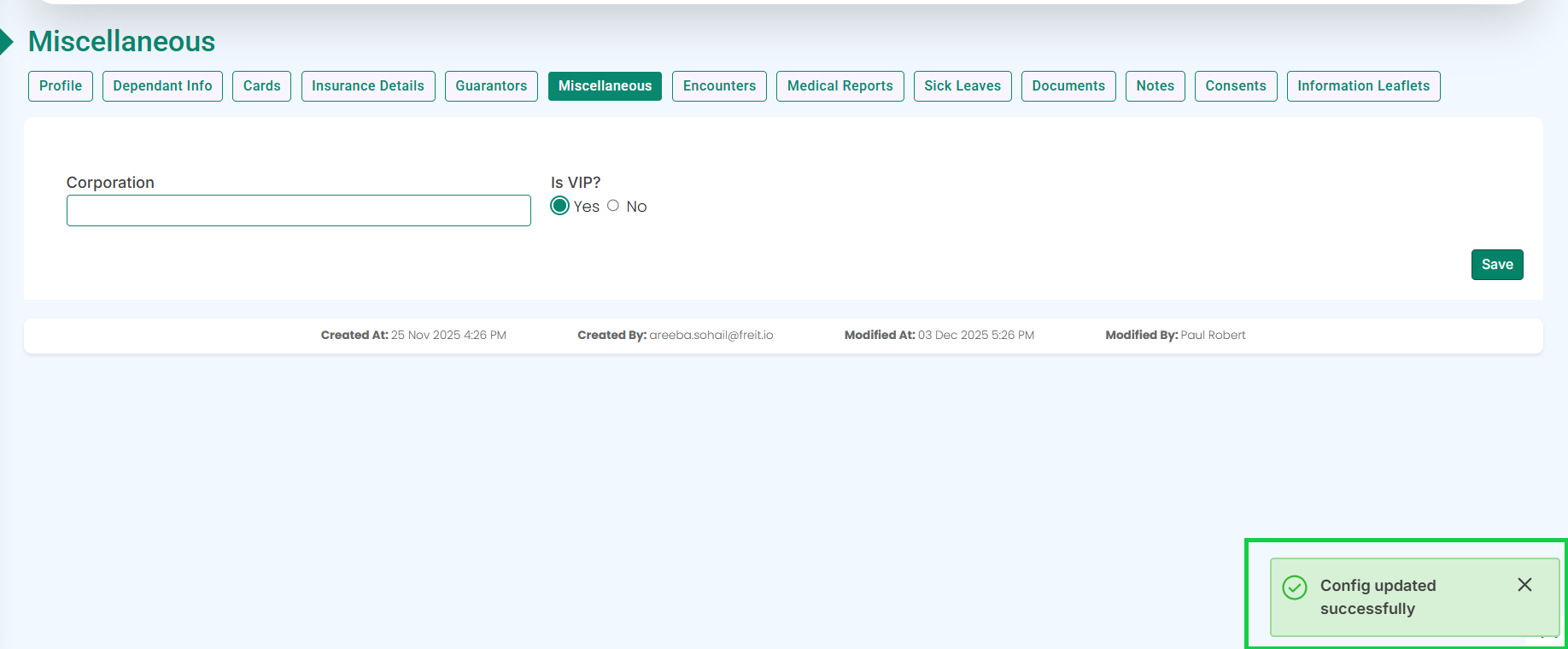
A pop-up will appear at the bottom-right corner of the screen confirming that the settings have been successfully updated, as shown in the image below.
The patient’s data will no longer be sent to Riayati or Nabidh.
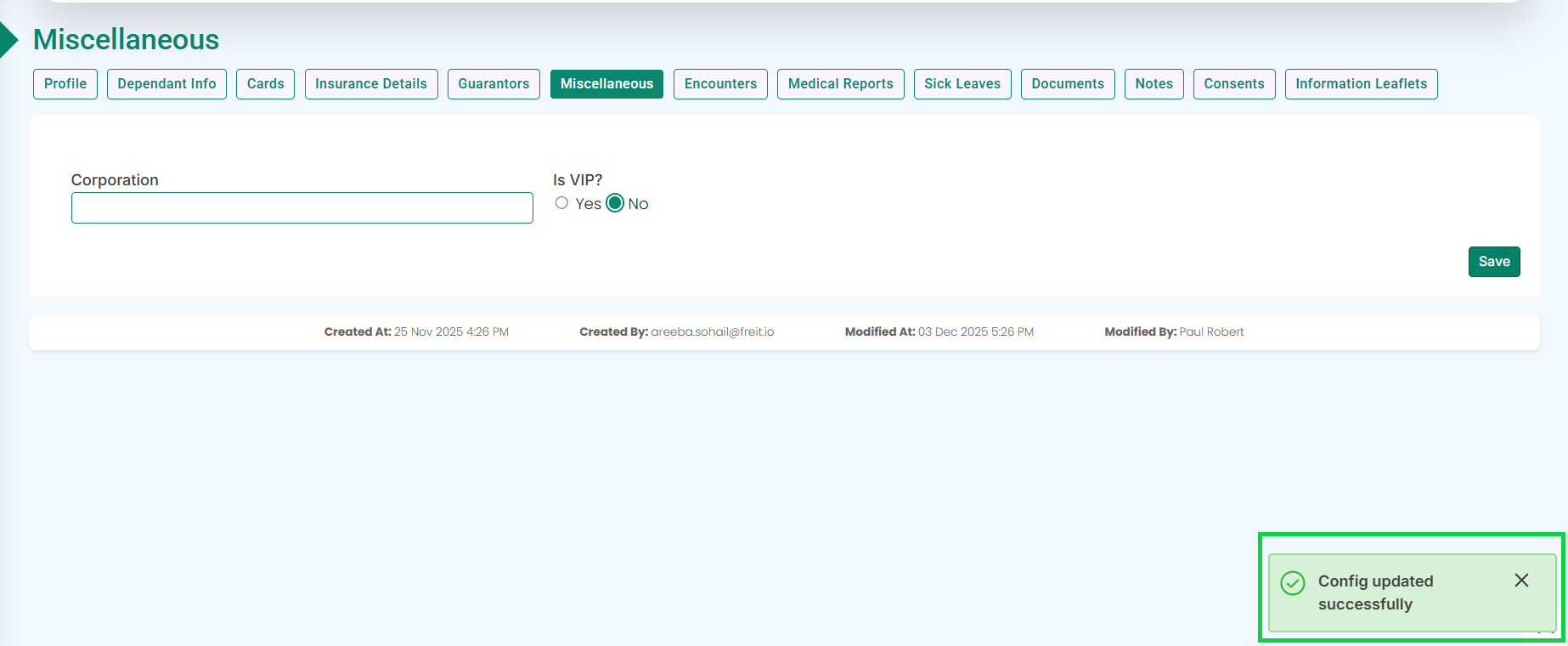
To enable data sharing again, change the VIP option back to No, as highlighted below.
Click the Save button.
A pop-up will appear at the bottom-right corner of the screen confirming that the settings have been successfully updated, as shown in the image below.
The patient’s data will be allowed to be sent to Riayati or Nabidh.