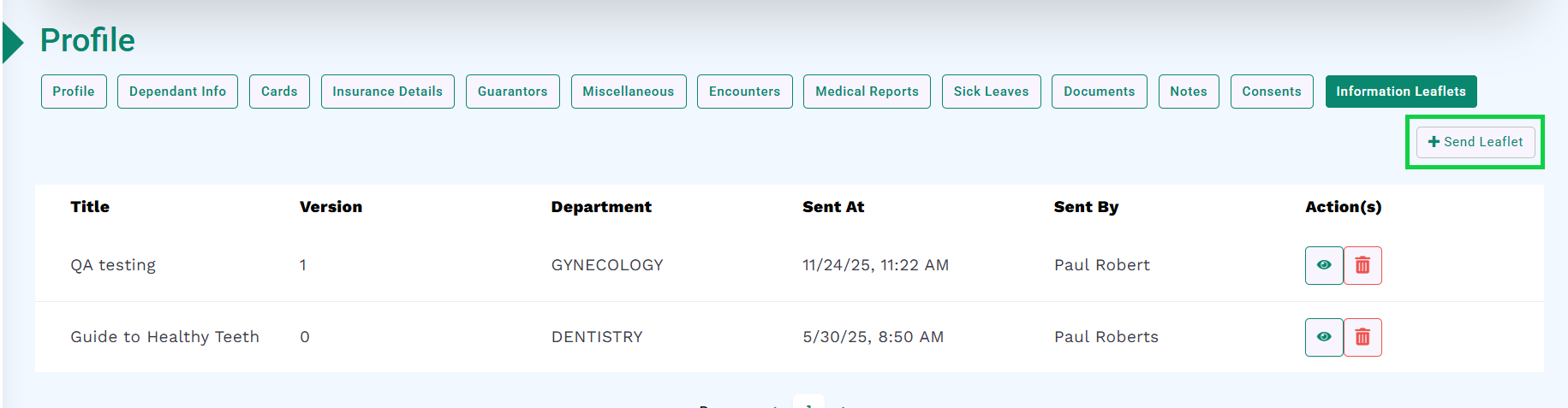
Go to the Information Leaflets section as described in the Pre-requisites.
Click the Send Leaflet button, as highlighted below.
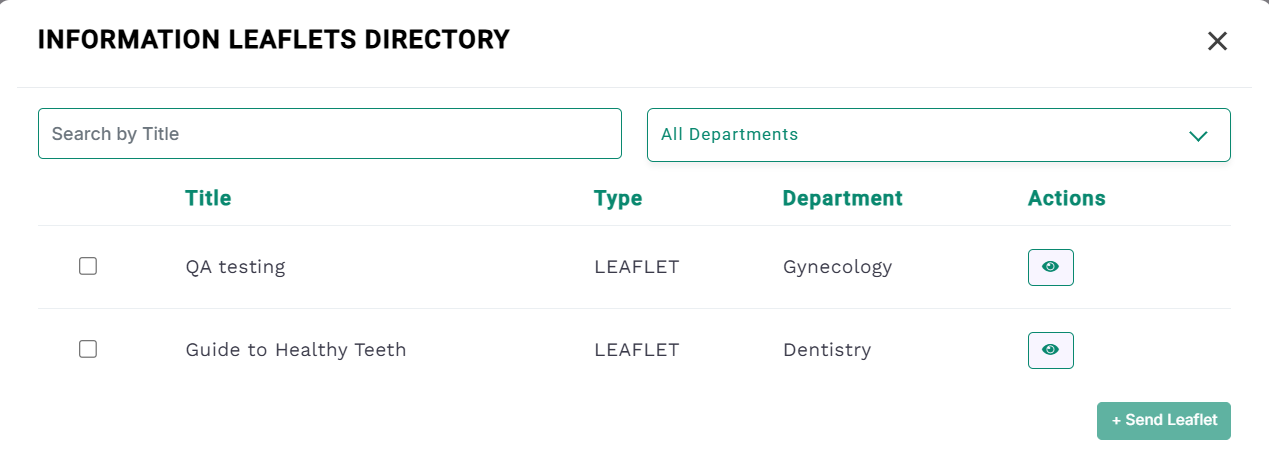
The Information Leaflets Directory will open, as shown in the image.
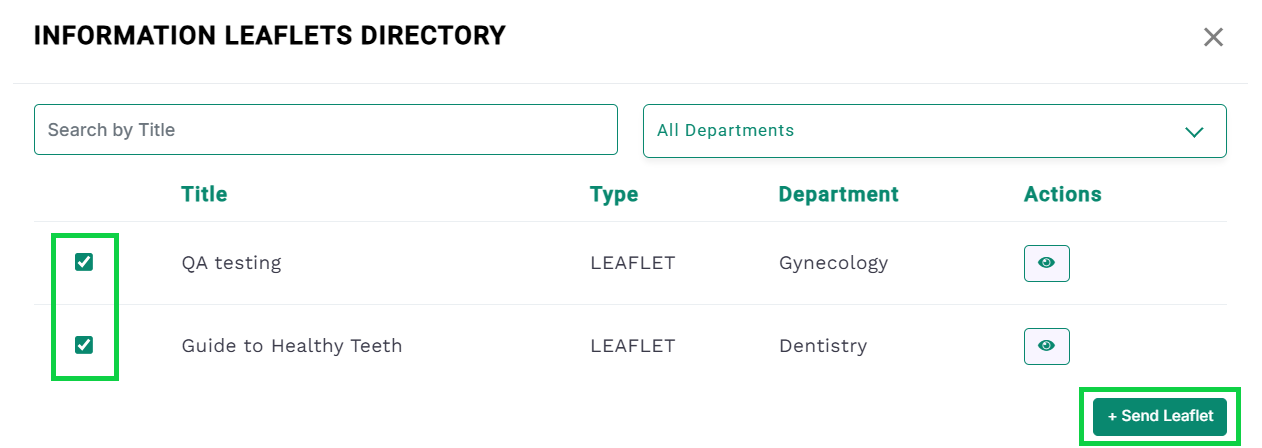
Select one or more leaflets by checking the corresponding checkboxes.
Once selected, the + Send Leaflet button will become enabled, as shown in the image below.
Click the + Send Leaflet button.
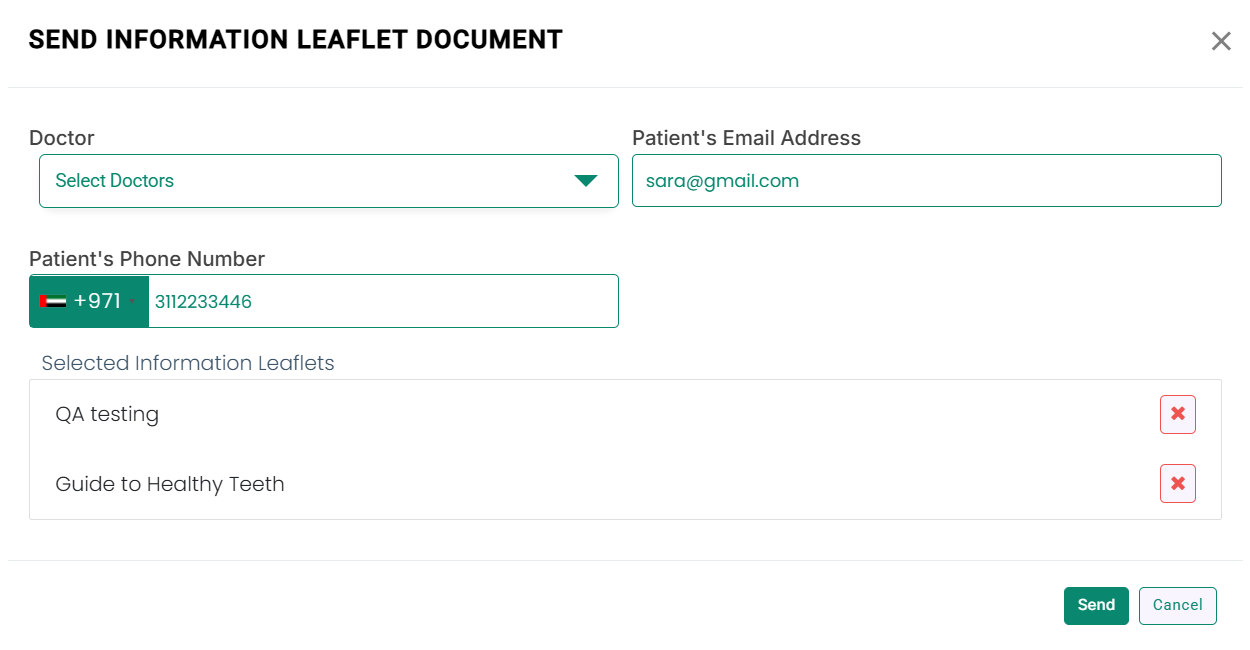
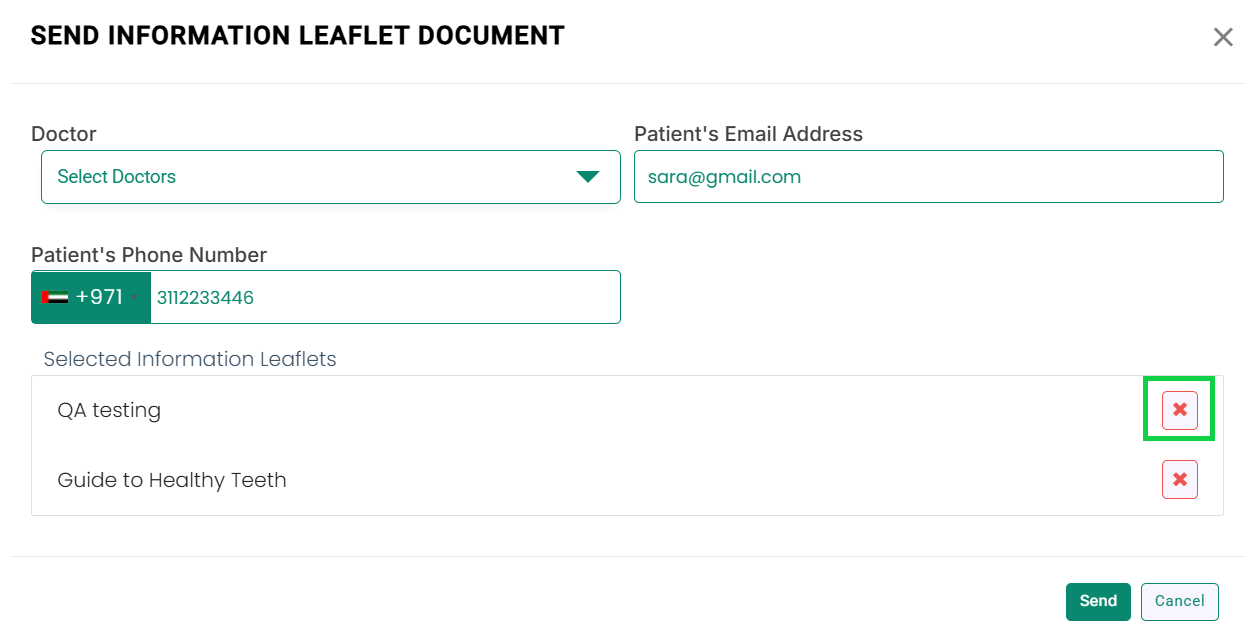
The Send Information Leaflet Document modal will open, as shown below.
If you want to remove any leaflet, click the cross icon next to the leaflet name, as highlighted in the image.
Enter the details: Doctor (Optional), Patient’s Email (Optional), and Patient’s Phone Number.
Click the Send button.
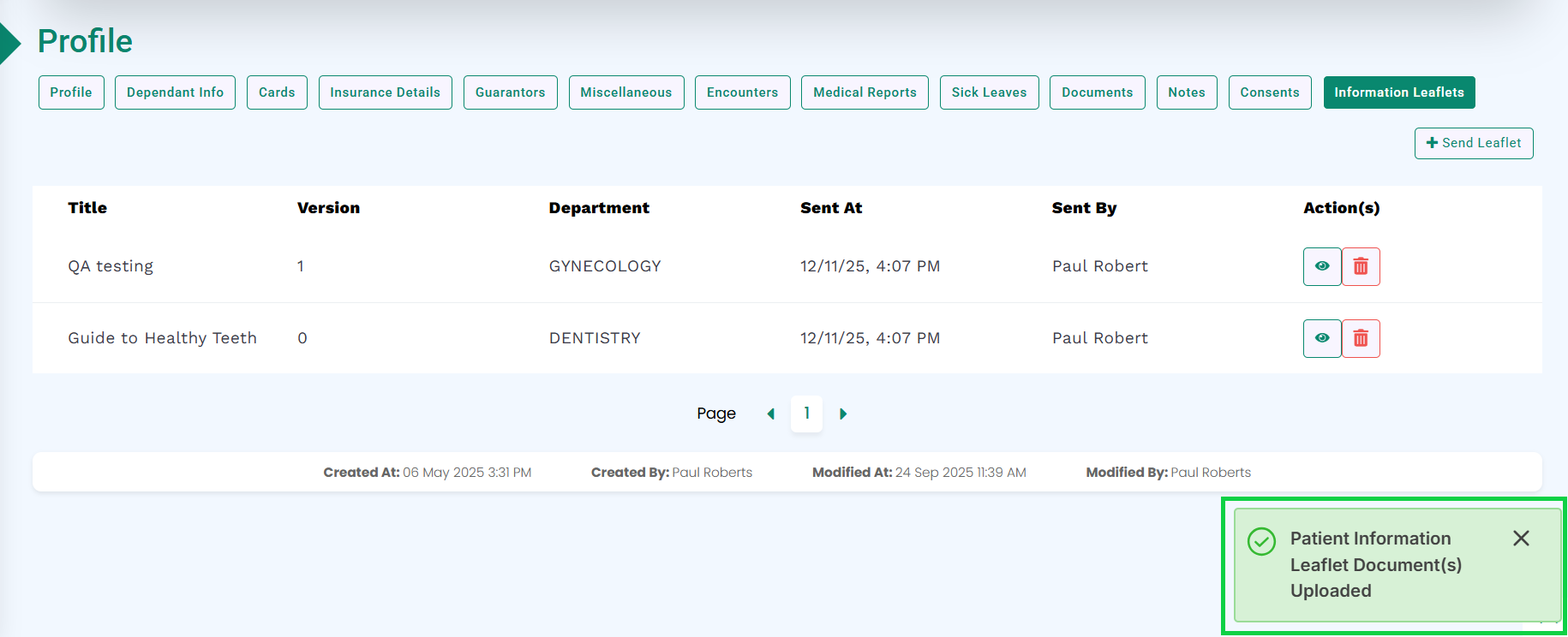
A pop-up will appear at the bottom-right corner confirming the successful upload of the information leaflet to the patient profile, as shown in the image.
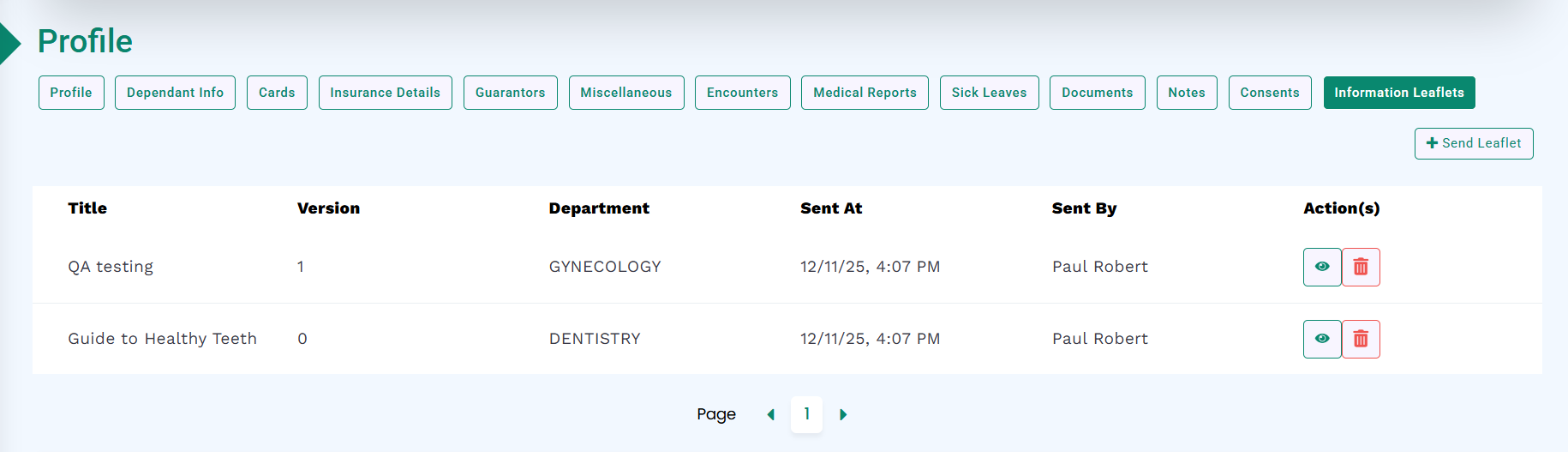
The system will add the information leaflet to the patient’s profile, as displayed below.